
Implementing a New Equipment Management System in Your Hospital: A Step-by-Step Guide
If you've ever watched a nurse spend 20 minutes hunting for a mobile IV pump, or seen a critical piece of diagnostic equipment sit unused in a storage room while another department submits an urgent purchase request for the same item - you already know the problem. Hospital equipment management is one of those areas where inefficiency doesn't just cost money. It costs time. And in a clinical setting, time is everything.
Getting a proper equipment management system in place sounds straightforward on paper. In reality, it's a multi-layered process that touches nearly every department in your hospital. But when you break it down step by step, it becomes very manageable. This guide walks you through exactly how to do it right, from the planning phase all the way through to staff training and long-term maintenance.
What Is a Hospital Equipment Management System?
A hospital equipment management system (also called a healthcare asset management system or CMMS - Computerized Maintenance Management System) is a digital platform that tracks, schedules, and manages the lifecycle of every medical device and piece of equipment in your facility. This includes everything from large imaging machines to small portable monitors, surgical tools, beds, infusion pumps, and even office equipment.
A solid system gives your biomedical engineering team, clinical staff, and procurement managers real-time visibility into where equipment is, whether it's due for maintenance, and whether it's functioning within compliance standards. Regulatory bodies like The Joint Commission and CMS require hospitals to maintain strict equipment maintenance records, so having a reliable system isn't optional - it's a legal necessity.
Why Do Hospitals Need a New System?
Many hospitals still run equipment tracking on spreadsheets, paper logs, or outdated legacy software. These systems fail in predictable ways:
- Equipment goes missing or gets hoarded by departments
- Preventive maintenance gets missed, leading to regulatory violations
- Procurement buys duplicate items because there's no visibility into existing inventory
- Biomedical teams spend more time chasing down assets than actually servicing them
- Patient care suffers when the right equipment isn't available at the right time
A modern equipment management system solves these issues by centralizing information, automating workflows, and giving decision-makers accurate data to work with. If you're still in the early stages of planning your hospital setup, it's worth reading this guide on equipment planning for first-time hospital owners before going further - it covers the foundational decisions that directly affect which management system will work best for your facility.
Step-by-Step: How to Implement a New Equipment Management System in Your Hospital
Step 1: Conduct a Full Equipment Audit
Before you can manage your equipment, you need to know exactly what you have. Start with a complete physical inventory of every device and asset across all departments. This is tedious work, but skipping it means you'll be building your new system on incomplete data - which defeats the entire purpose.
During your audit, record the following for each item:
- Equipment name and model number
- Serial number and manufacturer
- Current location (department and room)
- Age and purchase date
- Maintenance history (if available)
- Current condition (functional, needs repair, end-of-life)
- Whether it's owned, leased, or loaned
Assign a dedicated team for this audit, ideally a mix of biomedical technicians and department coordinators. Most hospitals find they have 15–30% more equipment than their records show - and also discover a significant number of items that are broken, expired, or simply don't belong to them.
Step 2: Define Your Goals and System Requirements
Not every hospital needs the same system. A 50-bed community hospital has different needs than a 600-bed academic medical center. Before you start evaluating vendors, get clear on what problems you're actually trying to solve.
Work with your key stakeholders - clinical leadership, biomedical engineering, IT, finance, and nursing - to define requirements. Common goals include:
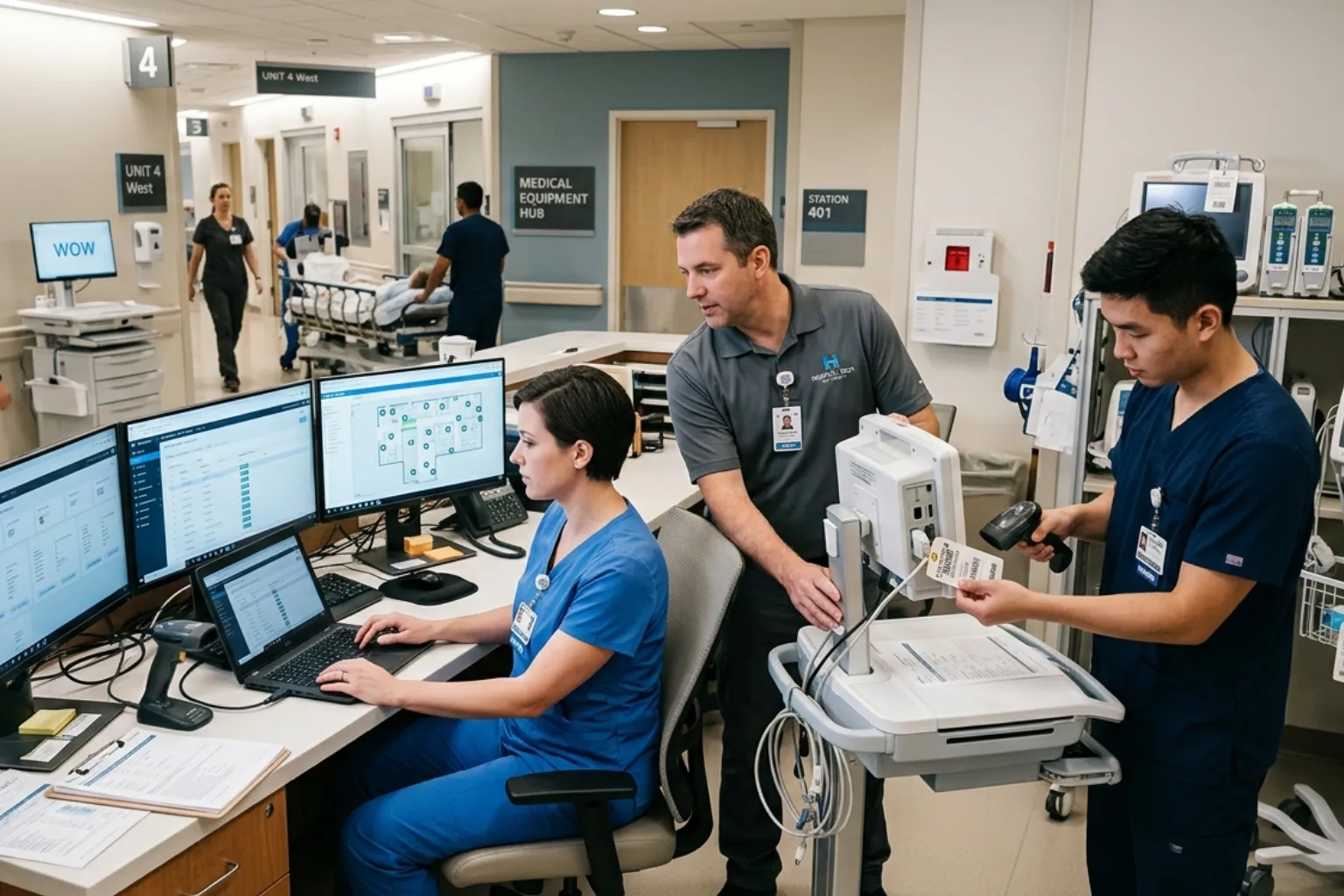
- Real-time asset location tracking (RTLS)
- Automated preventive maintenance scheduling
- Work order management for biomedical repairs
- Integration with your EHR or ERP systems
- Regulatory compliance reporting (Joint Commission, FDA, CMS)
- Equipment utilization analytics
- Mobile access for staff on the floor
Prioritize these requirements into "must-haves" and "nice-to-haves." This will save you a lot of time during the vendor selection process. Keep in mind that your system requirements also need to align with your broader healthcare technology strategy - equipment management doesn't exist in isolation from the rest of your hospital's digital infrastructure.
Step 3: Evaluate and Select a Vendor
The healthcare equipment management software market includes a number of well-established players - platforms like TMS (Technology Management System) from Nuvolo, IBM Maximo for Healthcare, Infor EAM, Accruent Biomedical, and others. Each has different strengths.
When evaluating vendors, ask the following questions:
| Evaluation Criteria | What to Look For |
|---|---|
| Healthcare-specific features | Does it support HIPAA compliance, FDA medical device tracking, and Joint Commission standards? |
| RTLS Integration | Can it integrate with RFID, Bluetooth, or Wi-Fi-based location systems? |
| EHR/ERP Integration | Does it connect with Epic, Cerner, Oracle, SAP, or your existing systems? |
| Mobile Accessibility | Is there a mobile app for iOS and Android? |
| Reporting and Analytics | Can it generate compliance reports, utilization metrics, and cost analyses? |
| Vendor Support | What does implementation support and ongoing customer service look like? |
| Total Cost of Ownership | What are the licensing, implementation, training, and maintenance costs? |
Request live demos and ask vendors to walk through real scenarios specific to your hospital. Talk to reference customers in similar healthcare settings. Don't rush this step - the wrong platform will cost you far more in the long run than taking an extra few weeks to choose carefully. It also helps to understand the difference between working with a vendor directly versus bringing in an independent consultant to guide the selection - this vendor vs. consultant equipment purchase guide breaks down exactly when each approach makes sense.
Step 4: Build Your Implementation Team
A successful implementation is a team sport. You need a project lead with authority to make decisions, plus representatives from every department that will be affected. Here's a typical implementation team structure:
- Project Manager: Oversees the timeline, budget, and cross-departmental coordination
- Biomedical Engineering Lead: Manages device data, maintenance protocols, and technical configuration
- IT Lead: Handles system integration, security, network setup, and data migration
- Clinical Champions: Nurses or department heads who advocate for the system on the floor
- Finance Representative: Tracks ROI and cost-related reporting requirements
- Vendor Implementation Consultant: Guides configuration and technical setup
Establish a regular meeting cadence - weekly check-ins during active implementation phases, with a clear escalation path for blockers. Use a project management tool to track tasks, timelines, and ownership. For a deeper look at how to structure your hospital project team more broadly, this guide on building the right team for a hospital project is very practical.
Step 5: Clean and Migrate Your Data
This step is where a lot of hospital implementations run into trouble. Your new system is only as good as the data inside it. If you migrate messy, incomplete, or duplicate records from your old system, you'll spend the next two years cleaning up the mess.
Work with your vendor to define the data migration plan:
- Export your existing equipment records from legacy systems or spreadsheets
- Deduplicate entries and standardize naming conventions
- Validate maintenance history records against physical documentation
- Map your existing data fields to the new system's data structure
- Run a test migration with a subset of data before full cutover
- Review and approve the migrated data with department stakeholders
Don't assume your old data is accurate. Cross-reference it against the physical audit you conducted in Step 1. Where conflicts exist, defer to the physical reality.
Step 6: Configure the System
Once your data is clean, it's time to configure the system to match your hospital's workflows. This is the most hands-on technical phase of the project and typically takes four to eight weeks depending on complexity.
Key configuration tasks include:
- Setting up equipment categories, types, and classifications
- Defining maintenance schedules for each equipment class (monthly, quarterly, annual)
- Configuring work order workflows and approval chains
- Setting up department and location hierarchies
- Establishing user roles and permissions (who can view, edit, approve)
- Integrating with RTLS hardware if applicable
- Connecting to your EHR, ERP, or purchasing systems
- Building custom dashboards and reports for leadership
Work closely with your biomedical team here. They know the maintenance requirements for each device class and can help you set up realistic, compliant schedules from day one. If your hospital is also navigating the procurement side at the same time, this biomedical equipment procurement guide for new hospitals covers exactly what to watch out for during purchasing and intake.
Step 7: Run a Pilot in One Department
Before you roll out to the entire hospital, pilot the system in a single department. An ICU, surgical unit, or biomedical workshop are good candidates. The goal is to stress-test the system in a real clinical environment, catch configuration errors, and identify usability issues before they affect the whole hospital.
During the pilot phase, collect structured feedback:
- Are staff able to find equipment easily?
- Are work order notifications firing correctly?
- Is the mobile app usable on the floor?
- Are there any data gaps or misconfigurations?
- How long does it take to complete common tasks versus the old process?
Run the pilot for at least four to six weeks. Fix issues as they arise, update your configuration, and get sign-off from pilot department leadership before proceeding to full rollout.
Step 8: Train Your Staff
Even the best system fails if people don't know how to use it. Staff training needs to be role-specific, practical, and ongoing - not a single one-hour webinar two weeks before go-live.
Training by Role
| Role | Training Focus | Format |
|---|---|---|
| Nurses / Clinical Staff | Equipment requests, location tracking, reporting missing or broken items | Hands-on demo, quick reference guide |
| Biomedical Technicians | Work orders, maintenance scheduling, device records, compliance documentation | Detailed training sessions, test environment practice |
| Department Managers | Dashboards, utilization reports, budget tracking | Report walkthroughs, admin access setup |
| IT Staff | System administration, integrations, troubleshooting | Technical deep-dive sessions with vendor |
| Procurement / Finance | Equipment lifecycle tracking, purchase requisitions, ROI reporting | Workflow walkthrough, report access |
Designate super users in each department - people who get deeper training and serve as the first point of contact when colleagues have questions. This reduces your helpdesk burden significantly after go-live.
Step 9: Go Live Hospital-Wide
With your pilot complete, your data clean, and your staff trained, you're ready for full deployment. Plan your go-live carefully. Avoid peak periods like holiday seasons or known high-census periods. Give yourself at least two weeks of vendor-supported hypercare after go-live, where technical support is available on-site or immediately on call.
On launch day, have your super users stationed in high-traffic areas. Monitor the system closely for integration errors, permission issues, or unexpected workflow gaps. Have a clear escalation path for anything that breaks critical operations - and a backup plan if a major issue forces a temporary rollback.
Step 10: Monitor, Measure, and Improve
Implementation doesn't end at go-live. In the first 90 days, track your key performance metrics religiously:
- Equipment utilization rates by department and device type
- Preventive maintenance compliance percentage
- Average time to complete work orders
- Number of unplanned equipment failures
- Time staff spend searching for equipment (compare to baseline)
- Equipment-related regulatory findings (should decrease)
Hold quarterly reviews with your implementation team and department heads. Use the data to adjust maintenance schedules, redistribute equipment across departments, identify underperforming assets due for replacement, and spot opportunities to reduce rental costs by using owned equipment more efficiently. Having a defined set of hospital project KPIs and metrics in place from the start makes these reviews far more structured and actionable.
Let’s Build Your Dream Hospital
Whether you’re planning a new hospital, expanding an existing facility, or upgrading your healthcare technology, Actiss Healthcare is here to guide you every step of the way. Let us help you turn your vision into reality. Contact us today for a free consultation & learn more about our services and how we can support your next healthcare project.

Common Pitfalls to Avoid
Underestimating the Data Migration Effort
This is the number one cause of blown timelines and budgets. Budget at least twice as much time as you think it will take to clean, validate, and migrate your equipment data.
Skipping the Pilot Phase
Hospitals that skip piloting and go straight to hospital-wide rollout almost always face a messy go-live. A pilot is your safety net. Don't skip it.
Not Involving Clinical Staff Early
If nurses and frontline clinical staff feel like the system was "done to them" rather than "built with them," adoption will suffer. Bring clinical champions in from the requirements phase, not just training.
Choosing a System That Doesn't Integrate
A standalone equipment system that can't talk to your EHR, purchasing system, or financial platform creates silos. Integration is not optional for large hospitals - it's essential. This is especially true when you consider the full picture of hospital information systems - understanding how PACS, EMR, and HIS systems work together will help you make smarter integration decisions from the start.
Equipment Management System vs. Spreadsheet Tracking: A Quick Comparison
| Feature | Spreadsheet Tracking | Dedicated EMS Platform |
|---|---|---|
| Real-time location | No | Yes (with RTLS) |
| Automated maintenance alerts | No | Yes |
| Regulatory compliance reporting | Manual, error-prone | Automated |
| Mobile access | Limited | Full mobile app |
| Integration capability | None | EHR, ERP, purchasing |
| Scalability | Poor | High |
| Cost | Low upfront, high hidden cost | Higher upfront, strong ROI |
Conclusion
Implementing a new hospital equipment management system is a significant undertaking, but it's one that pays for itself many times over. Better equipment visibility means fewer purchases of items you already own, fewer missed maintenance intervals, stronger regulatory compliance, and - most importantly - better patient care because the right equipment is available when and where it's needed. By following a structured, step-by-step approach and keeping all your stakeholders engaged throughout the process, your hospital can make this transition smoothly and set your biomedical and clinical teams up for long-term success. If you'd like expert support at any stage of this process, explore the full range of hospital consultancy services available to help you get it right the first time.
Let’s Build Your Dream Hospital
Whether you’re planning a new hospital, expanding an existing facility, or upgrading your healthcare technology, Actiss Healthcare is here to guide you every step of the way. Let us help you turn your vision into reality. Contact us today for a free consultation & learn more about our services and how we can support your next healthcare project.
Frequently Asked Questions (FAQs)
1. How long does it take to implement a hospital equipment management system?
The timeline varies based on hospital size and complexity, but most mid-to-large hospitals should plan for six to twelve months from initial audit through full go-live. Smaller facilities can sometimes complete the process in three to six months. Data migration and system configuration are typically the longest phases.
2. What's the typical cost of a hospital equipment management system?
Costs vary widely depending on the vendor, deployment model (cloud vs. on-premise), and the number of assets and users. For a mid-sized hospital, total implementation and first-year licensing costs can range from $100,000 to $500,000 or more. Many hospitals see positive ROI within two to three years through reduced equipment rental, fewer emergency repairs, and avoided regulatory penalties.
3. Do we need RTLS (Real-Time Location System) hardware for equipment tracking?
RTLS hardware - such as RFID tags or Bluetooth Low Energy (BLE) beacons - provides the most accurate real-time location data, but it's not always required in the first phase. Many hospitals start with barcode or QR code-based tracking and add RTLS later as budget allows. Discuss your specific use cases with your vendor to find the right approach for your facility.
4. How do we handle equipment that belongs to vendors or is on loan?
Most dedicated equipment management platforms allow you to flag assets as vendor-owned, loaned, or leased, and track their maintenance requirements separately. This is especially important for compliance - you're still responsible for the safe operation of equipment in your facility regardless of who owns it.
5. What regulations govern hospital equipment management in the United States?
The primary regulatory bodies are The Joint Commission (TJC), which sets standards for equipment maintenance programs under its Environment of Care standards; the Centers for Medicare & Medicaid Services (CMS); and the FDA, which regulates medical devices under the Quality System Regulation (21 CFR Part 820). Your biomedical engineering team and compliance officers should be closely involved in configuring your system to meet these specific requirements.